If you're the parent of a student preparing for the SAT, you probably want two things that pull in opposite directions: to know the work is happening, and not to be the person asking about it every night. iLearnRight is built so the first mostly takes care of itself, which makes the second easier.
The daily recap email
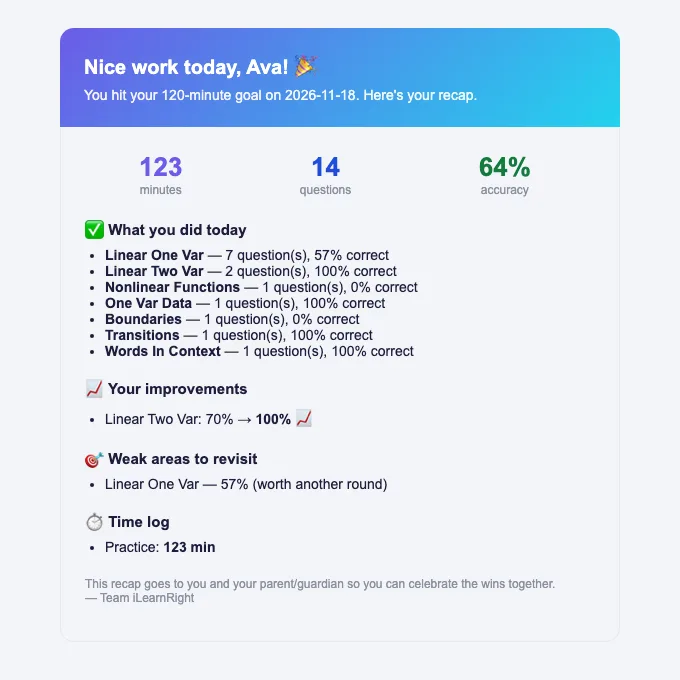
The parent or guardian's email goes on the student's profile at sign-up (it's required for students under 18). After that, on any day the student finishes the day's plan, or reaches two hours of active study, iLearnRight emails a short recap to the student with the parent CC'd. It lists the minutes studied, the number of questions and the accuracy, what was practised by topic, where the student improved, the weak areas worth another round, and a time log by activity. It's sent at most once a day.
Only active time counts: the app pauses the study clock when the tab is hidden or the student is idle, so the minutes in the recap are minutes of actual work. The recap also flags answers given much faster than the question's target time, which is a useful conversation starter if accuracy suddenly drops.
Sitting down together: SAT Home
Once a week or so, it's worth looking at the student's SAT Home together. In one screen it shows the current streak, the estimated score from recent mock tests, the days left to the test date and whether the student is on track for their target, the score trend, and the weak areas with links to learn or practise each one.
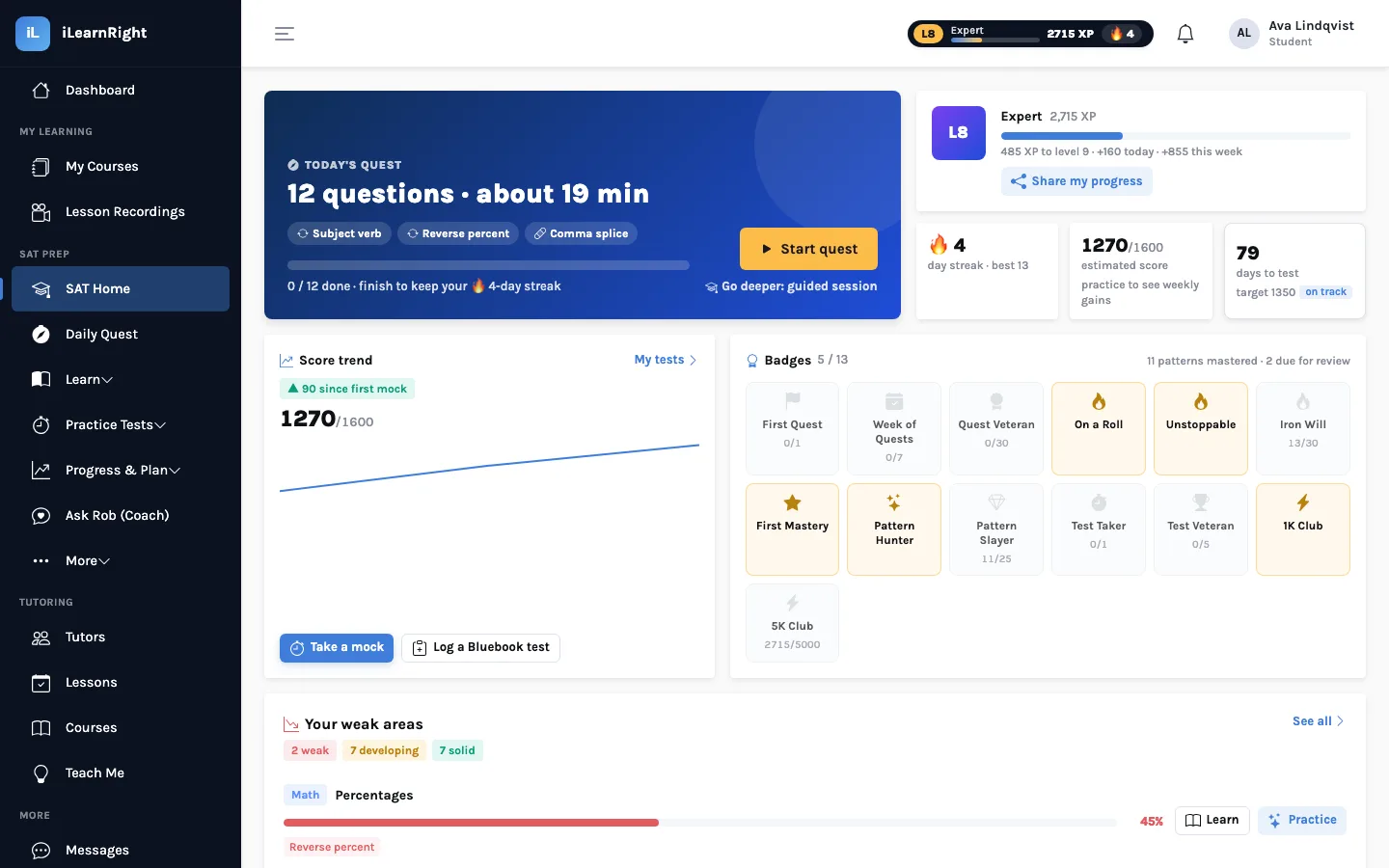
Two numbers are worth reading carefully. The estimated score is an estimate from practice tests, shown as a range on the results page, not an official score (see what the estimate means). And weak areas are normal: a student with none isn't being challenged. What you want to see over a few weeks is weak patterns moving to developing and then solid.
Lessons and payments
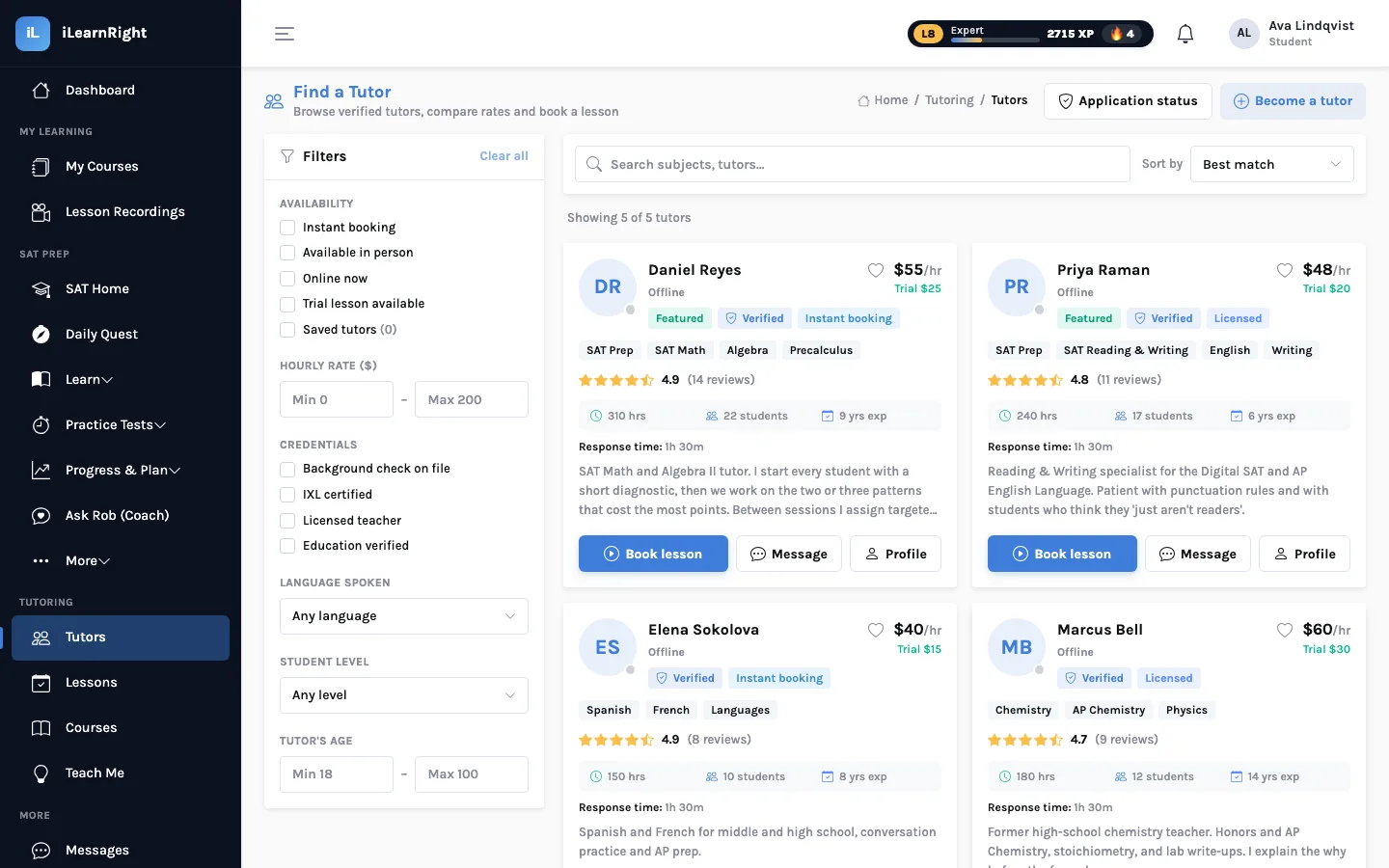
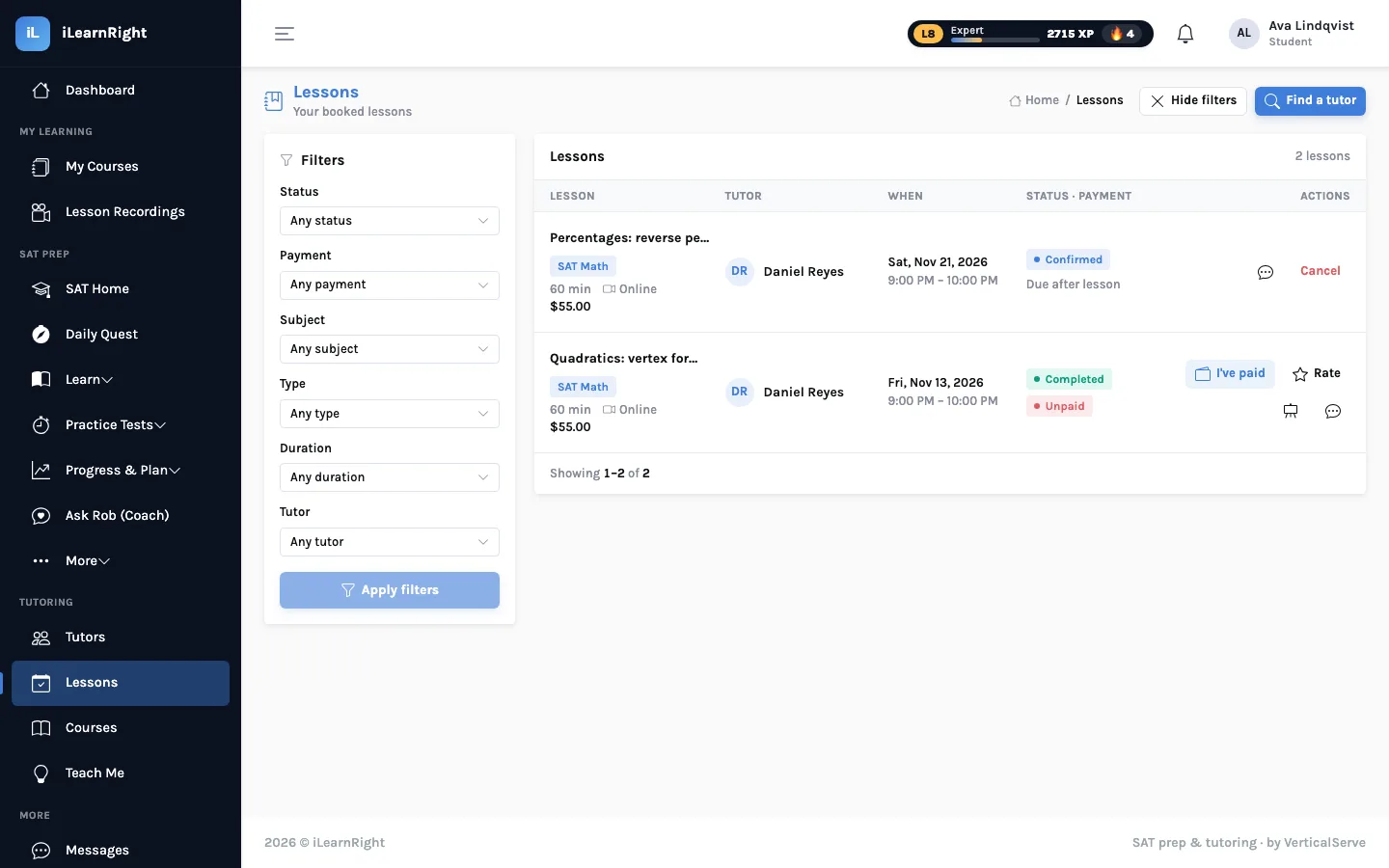
If your student books a human tutor, the Lessons page shows every lesson with its tutor, date, status (pending, confirmed, completed) and payment status. iLearnRight doesn't charge at booking: the student pays the tutor directly, for example by Venmo or Zelle, after the lesson, and then marks it paid. Many families keep the paying with the parent and the booking with the student.
How the Lindqvists split the work
Grace Lindqvist doesn't log in. She reads the recap email when it arrives, and on Sundays she and Ava spend ten minutes on SAT Home. When Ava's recap kept listing Boundaries as a weak area, they agreed she'd book one lesson with a Reading & Writing tutor. Ava chose the tutor and the time; Grace pays the tutor after each lesson and Ava marks it paid on the Lessons page.
Helping without hovering
- Agree on the habit, not the hours. The daily quest takes about 20 minutes. Most days, that's enough.
- Praise the honest "I don't know". It earns nothing, and it's the most useful button in the app: the pattern comes back sooner instead of being hidden by a lucky guess.
- Look at trends, not single days. One low-accuracy day is noise. Three weeks of the same weak pattern is a signal, and maybe a reason to book a tutor.
- Put the test date in. The countdown and the weekly plan are built around it.
Privacy and age. iLearnRight is for ages 13 and up, and signing in confirms that the user is 13 or older, or a parent, guardian or teacher signing in on a student's behalf. Read the privacy policy for what's collected and why.
Next: finding and booking a tutor.