An app can drill a hundred percent questions; it can't notice that you're tired, or explain chemistry the third time in a different way. For those moments iLearnRight has a marketplace of human tutors, for the SAT and for school subjects. This guide walks through finding one and booking a lesson, using a made-up student and made-up tutors.
Ava needs help with chemistry, not just the SAT
Ava uses iLearnRight for SAT prep, but her real worry this month is Honors Chemistry: stoichiometry is coming up and her class moves fast. She wants an online tutor, after school, for under $65 an hour, who explains the reasoning rather than the formula.
1. Filter the list
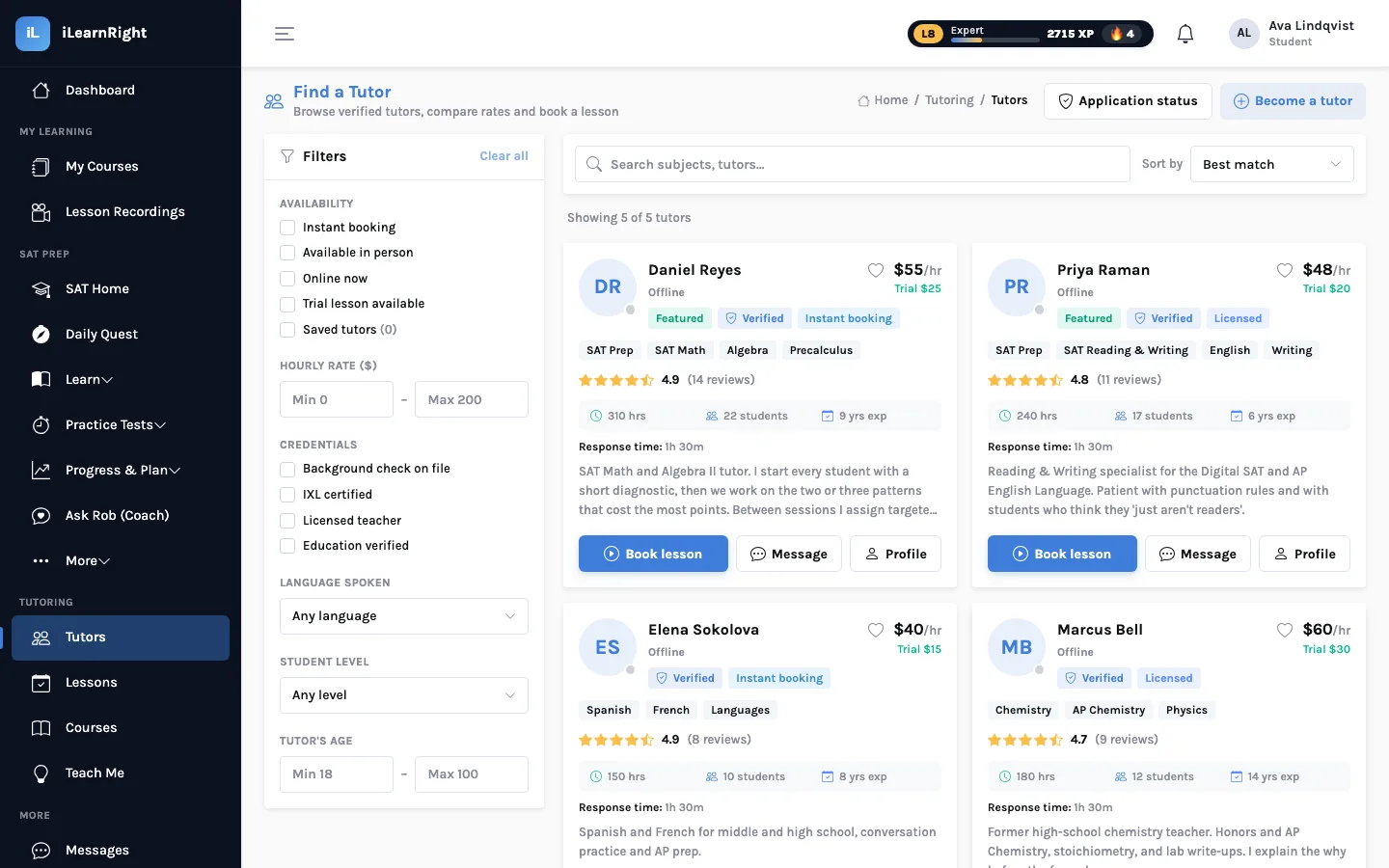
Find a Tutor lists every approved tutor. Search by subject or name, and narrow the list with filters: instant booking, in person, online now, trial lesson available, saved tutors; an hourly-rate range; credentials (background check on file, IXL certified, licensed teacher, education verified); language spoken; student level; and the tutor's age range. Sort by best match, highest rated, lowest price or most experience.
2. Read the profile
Each profile has an About section in the tutor's own words, the subjects they teach, languages, student levels and lesson formats, the credentials on file, and their policies: hourly rate, trial-lesson price, location and whether instant booking is on. A ratings tab shows reviews from students who've had a lesson with them. You can message a tutor before booking.
Questions worth asking in a first message: how they'd structure the first session, what they'd like you to bring (a recent test, the textbook chapter), and whether a trial lesson makes sense.
3. Book a slot
Booking shows the tutor's week, built from the availability they've set, with past days and booked times greyed out. Choose the subject, a duration (30, 60, 90 or 120 minutes), online or in person, then a time. There's room for a lesson title, what you want to focus on, and a note for the tutor. The booking summary shows the total before you confirm.
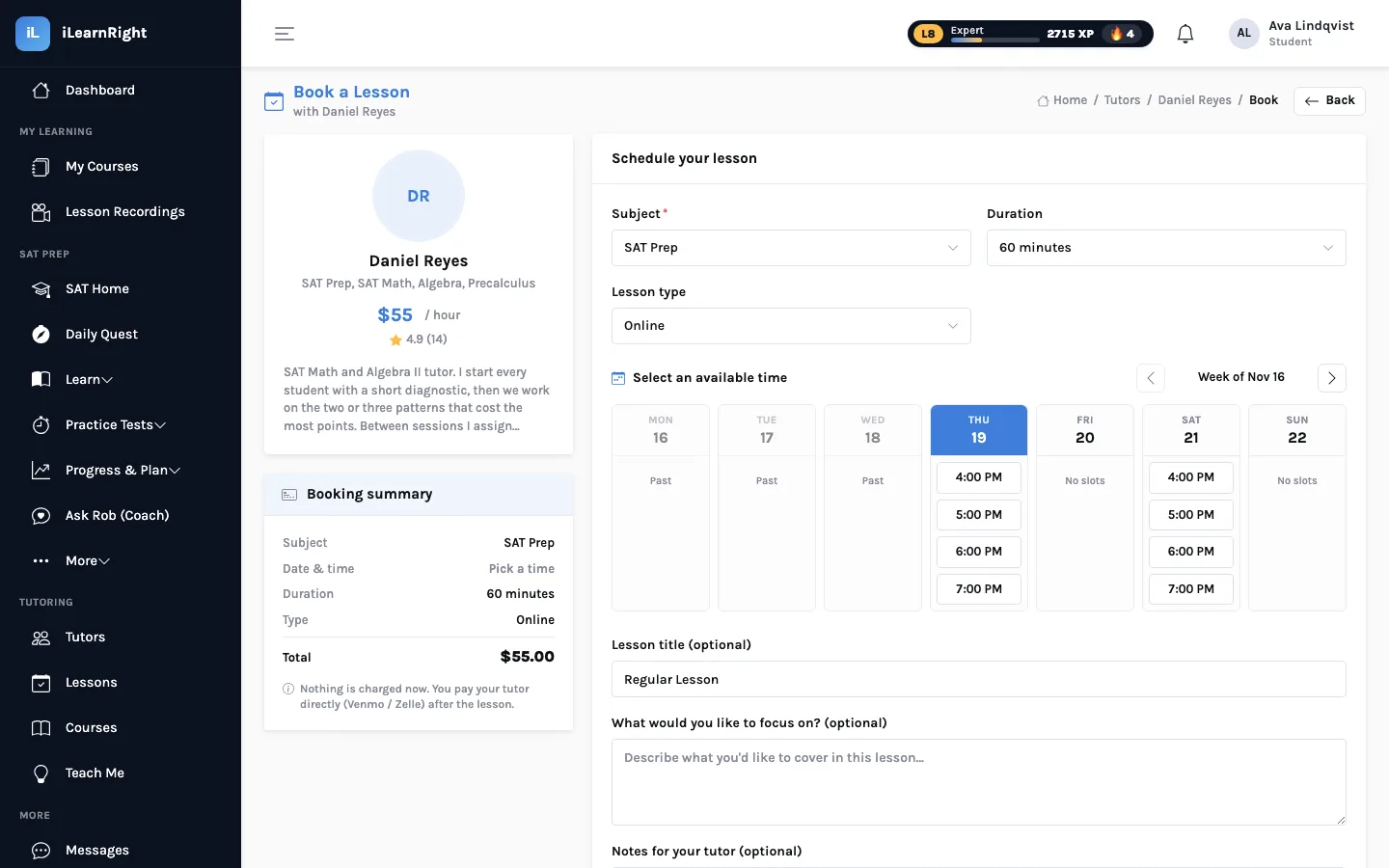
How payment works. iLearnRight doesn't take a card at booking. After the lesson, you pay the tutor directly (for example by Venmo or Zelle, using the details on their profile) and then mark the lesson as paid on the Lessons page. Agree on rates, trial lessons and cancellations with your tutor up front.
4. What happens after you book
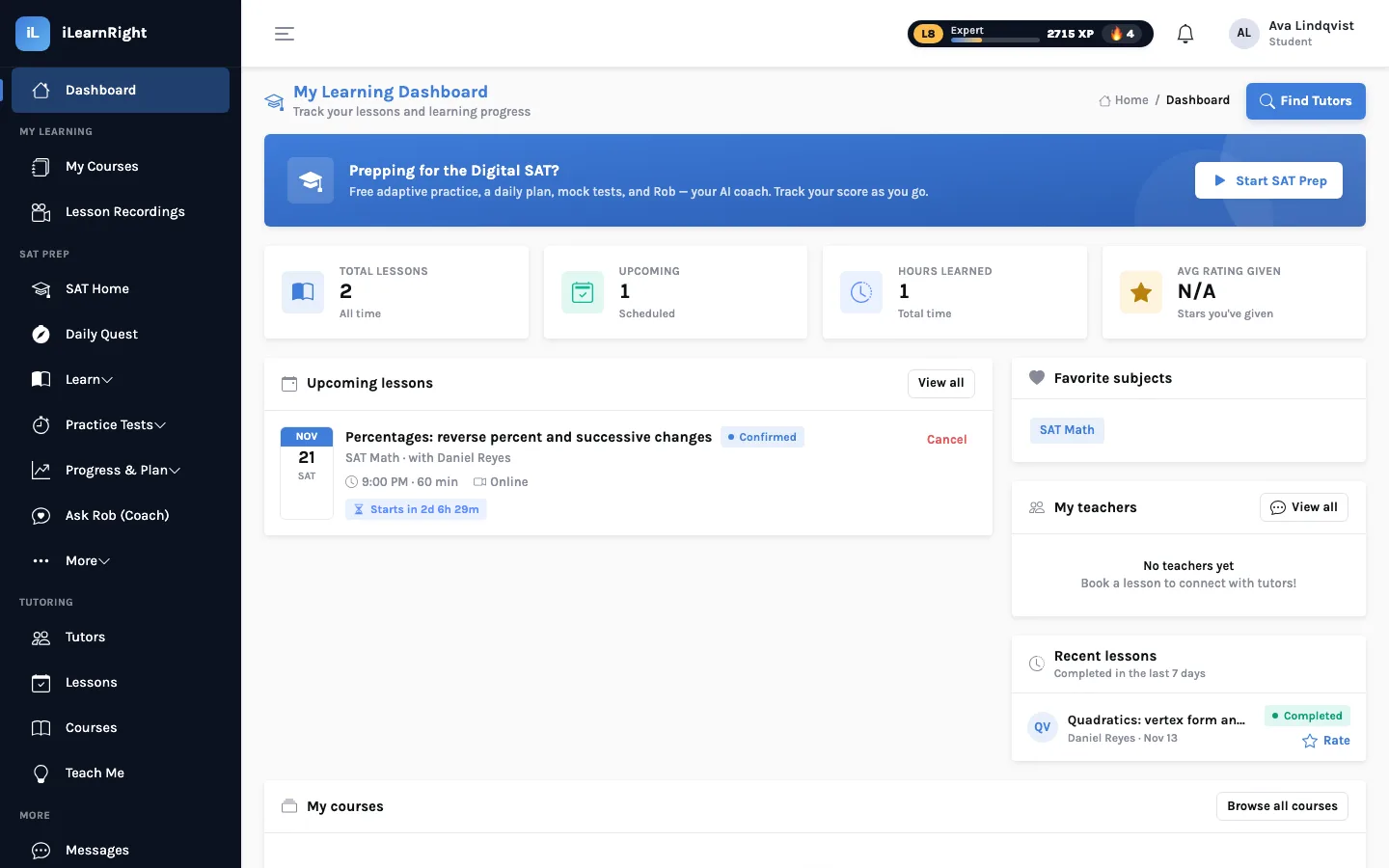
A new booking starts as pending until the tutor confirms it. Confirmed lessons appear on the student dashboard with a countdown, and on the Lessons page with filters for status, payment, subject, type and tutor. At lesson time, join the online classroom from either place: it runs in the browser with video and audio, screen sharing, a shared whiteboard, a code pad and chat. If the tutor records the session, it appears later under Lesson Recordings.
5. After the lesson
Completed lessons show as completed, with the payment status beside them. Pay the tutor, mark it paid, and leave a rating: it helps the next student choose. If it went well, book the next one from the same profile; many students settle into a weekly slot.
How Ava's search went
Ava searched "chemistry", ticked Licensed teacher and set the rate to $65 at most. That left Marcus Bell, a former high-school chemistry teacher (made up, like everyone here). His profile mentioned explaining "the why before the formula", so she sent a message asking whether a 30-minute trial made sense before her unit test, then booked a Thursday 5 pm slot and wrote "stoichiometry: mole ratios and limiting reagent" in the focus box.
SAT tutoring: bring your data
If the lesson is for the SAT, start from your Weak Areas page. Paste the two or three weakest patterns into the booking notes. A tutor who knows on Monday that you're missing reverse percent questions can plan Thursday's lesson around it, and can set homework on exactly that afterwards.