Two students can both score 70% on a practice set and need completely different things. One misses every percent question; the other misses a little of everything because she rushes. A score can't tell them apart. iLearnRight tracks every answer at the level of the question pattern, so it can.
Skills and sub-patterns
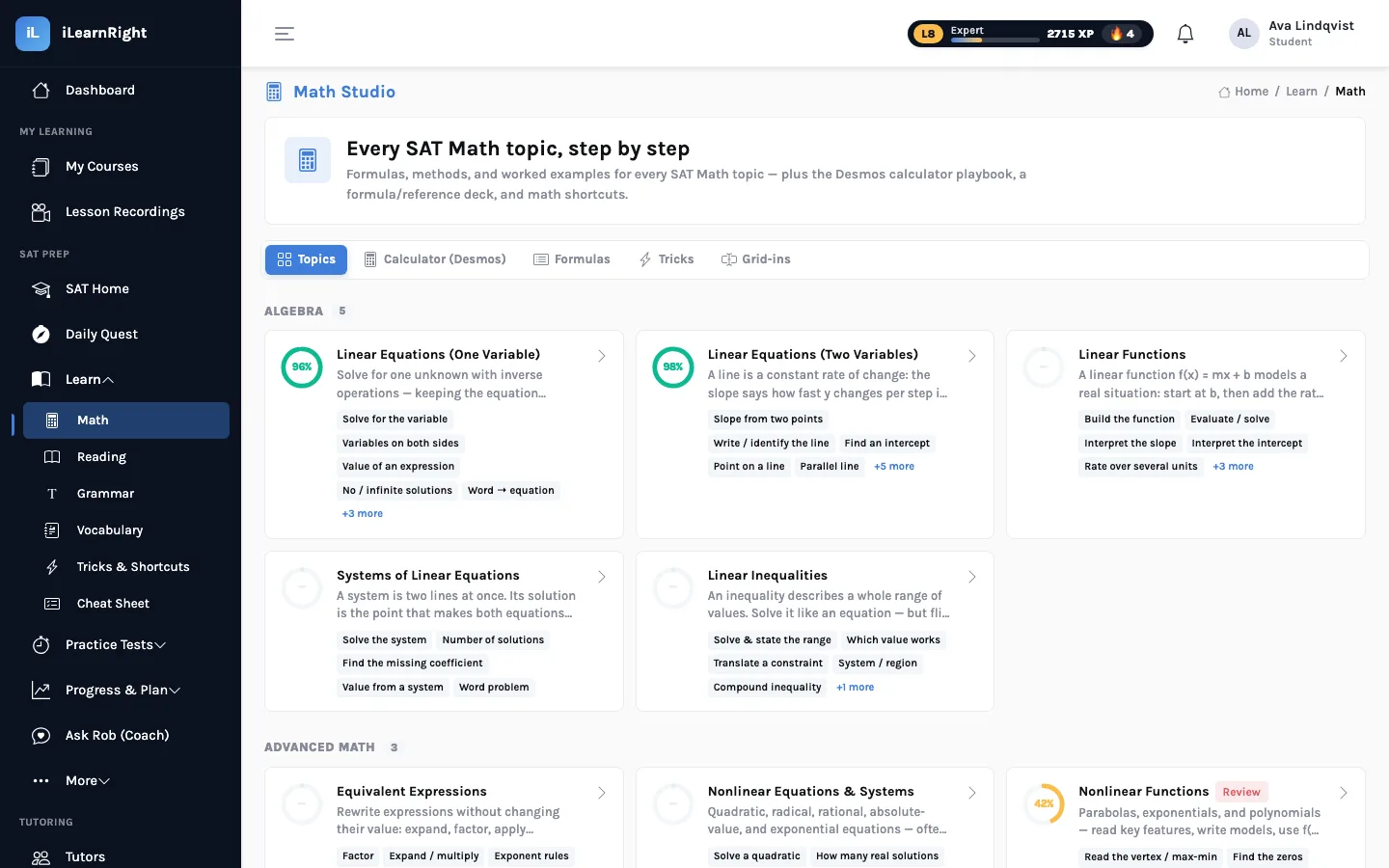
The College Board describes the Digital SAT in domains and skills: Algebra contains Linear Equations in One Variable, Standard English Conventions contains Boundaries, and so on. iLearnRight tags every question with one of those skills and with a finer sub-pattern. Inside Linear Equations in One Variable, for instance, the Math Studio teaches and tracks solve for the variable, variables on both sides, value of an expression, no / infinite solutions and word problems separately. Inside Boundaries it separates comma splices, semicolons, colons and dashes.
That matters because students rarely miss a whole skill. They miss one shape of question inside it, often one they could avoid with a single idea (for example, noticing that 6x + 10 is just twice 3x + 5, so there's no need to solve for x).
Not all right answers count the same
After each answer, iLearnRight gives the attempt a credit between 0 and 1. A clean, first-try correct answer earns full credit. Using one hint earns 0.7, two or more hints 0.5, and getting it right only after viewing the solution 0.3. A wrong answer earns nothing, and running out the target time caps the credit at 0.6. There's also an honest I don't know button: it earns no credit and no XP, and the pattern simply comes back sooner.
Mastery is a rolling average that leans on recent work: the new value is 60% of the old one plus 40% of the latest credit. So one lucky guess doesn't make a pattern "solid", and one slip doesn't erase weeks of good work. The same update runs for the skill and for the sub-pattern.
What the tiers do
Patterns below 50% are weak, 50–80% developing, and 80% or more solid. A pattern counts as mastered once it's solid and the student has answered it cleanly on two different days, which earns a one-time XP bonus and a badge count.
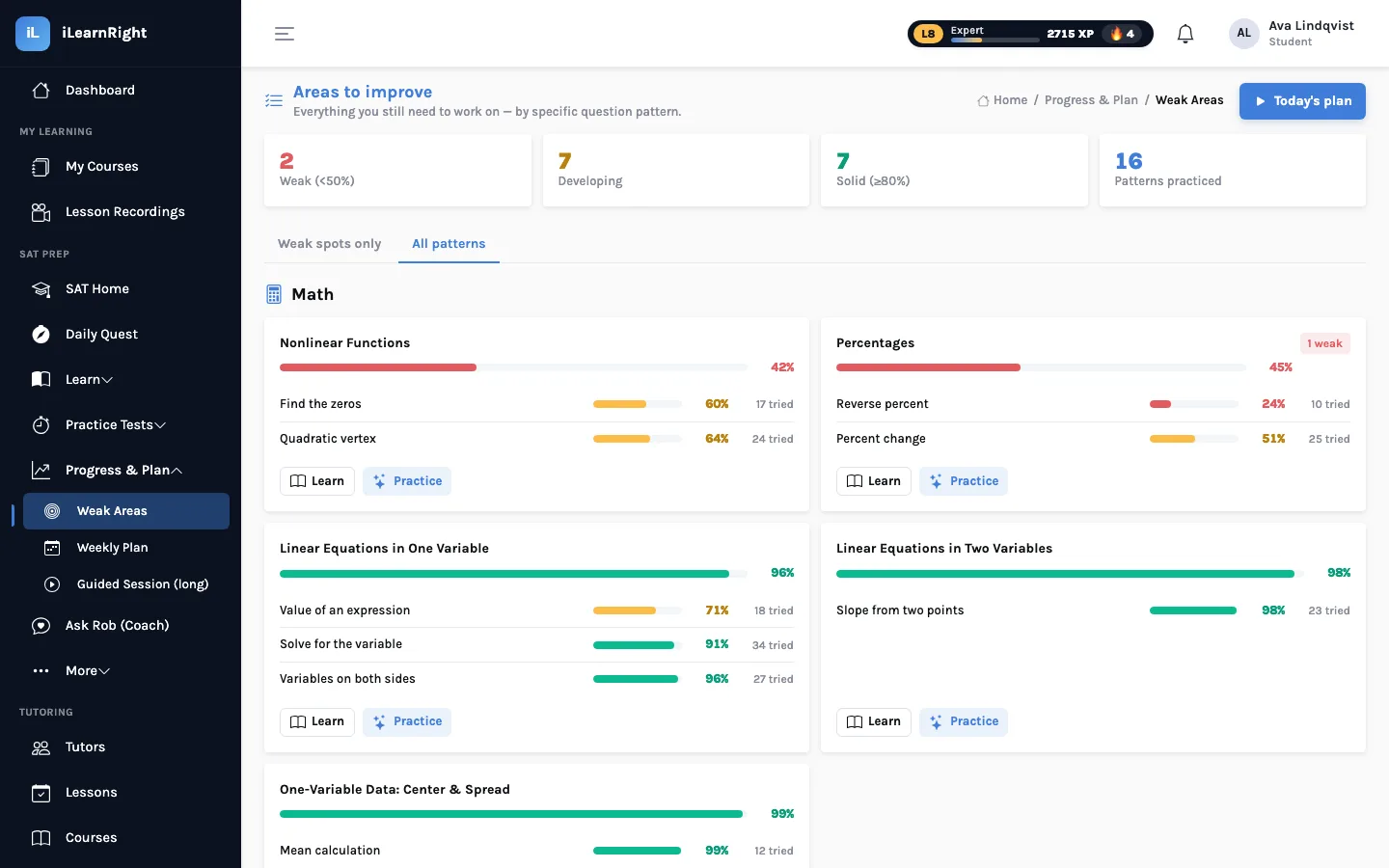
The Weak Areas page lists every pattern the student has tried, grouped by skill, with a Learn button that opens the right studio lesson and a Practice button that drills that pattern. The same numbers drive the daily quest (which prefers weak and due patterns) and the weekly plan (which schedules short lessons on this week's weakest topics).
Every miss teaches
When a student gets a question wrong, the answer, the correct choice and a worked explanation appear right away, along with a note saying when that pattern will come back. Studio drills allow one retry before showing the solution, and only a clean correct answer counts as a pass.
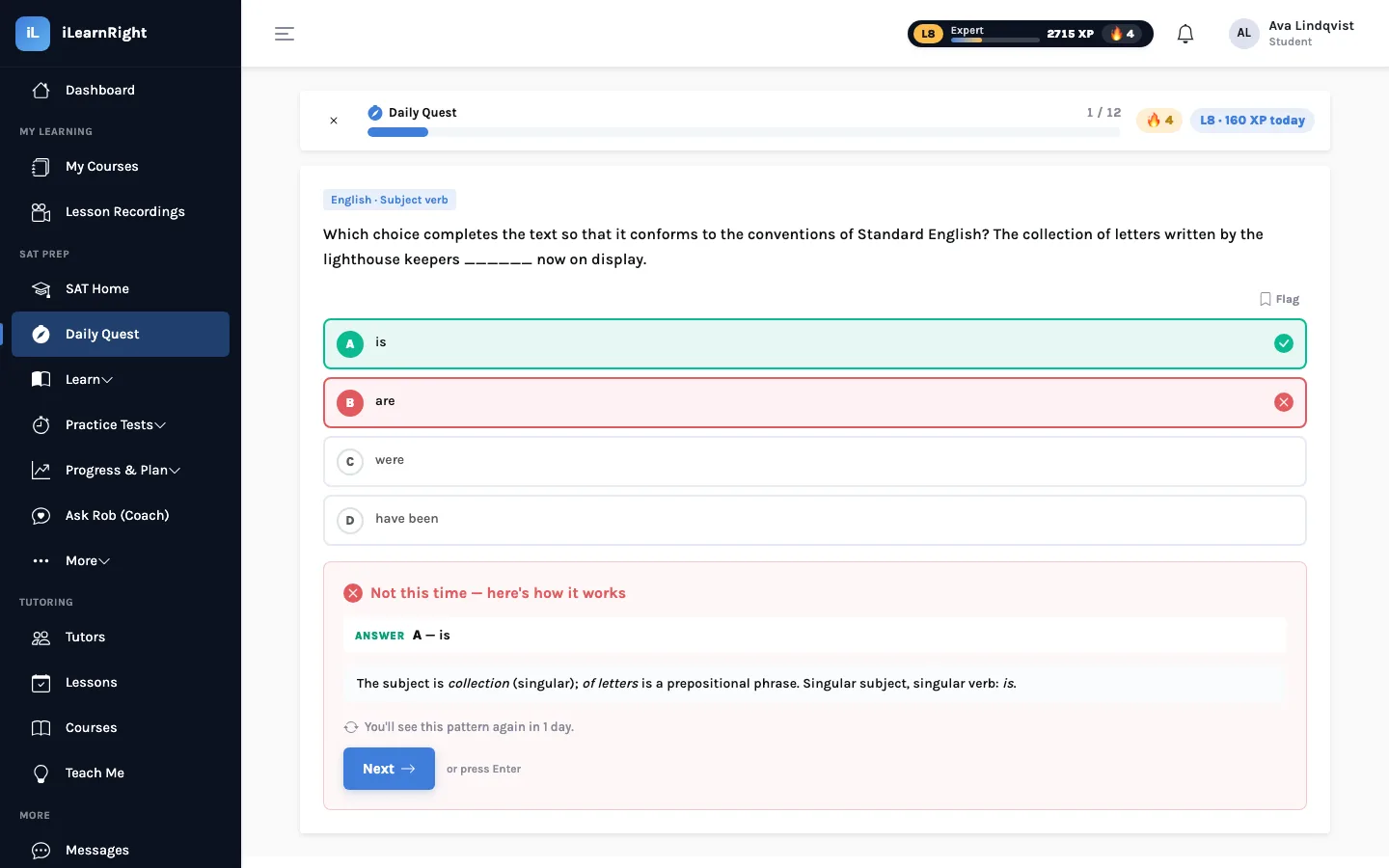
Spaced review: coming back at the right time
Each pattern also has a review schedule, a simplified version of the SM-2 method used by many flashcard apps. A clean answer pushes the next review out: one day, then three, then the previous gap multiplied by an "ease" factor (it starts at 2.5 and grows a little with every clean answer), up to 60 days. A miss resets the gap to one day and lowers the ease, so a shaky pattern comes round more often. Patterns that are due get first claim on the next daily quest.
Ava and the reverse-percent problem
Ava answers most percent questions correctly, so her Percentages skill sits at 45%, not far off. The sub-pattern view shows the real story: percent change is at 51% but reverse percent ("after a 20% discount a jacket costs $72; what was the original price?") is at 24% over ten tries. She keeps multiplying $72 by 1.2 instead of dividing by 0.8. Because that pattern is weak and due, it appears in tomorrow's quest, and the Learn button takes her straight to the lesson on working backwards from a percent.
What this is and isn't. Mastery numbers describe performance on iLearnRight's practice questions. They are a guide to where to spend time, not a prediction of any particular test-day score.
Next: how the daily quest and weekly plan choose what to practise.